Array Flatten in JavaScript 🚀
What are Nested Arrays?

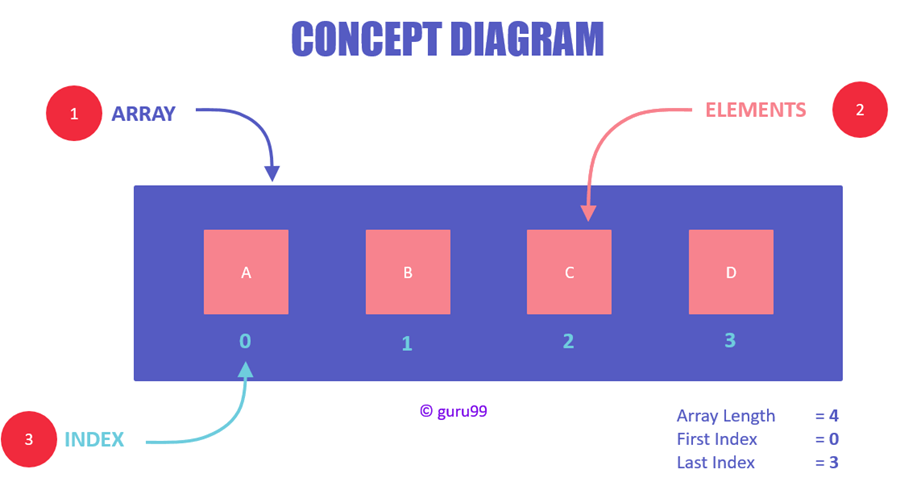
A nested array is simply an array that contains other arrays inside it.
Example:
const arr = [1, [2, 3], [4, [5, 6]]];
Here:
[2, 3]is an array insidearr[5, 6]is nested even deeper
👉 Think of it like folders inside folders.
🤔 Why Flattening Arrays is Useful?
Flattening converts a nested array into a single-level array.
Example:
[1, [2, 3], [4, [5, 6]]]
→ [1, 2, 3, 4, 5, 6]
💡 Use Cases:
API responses with nested data
Data processing pipelines
Preparing arrays for loops, maps, filters
Frontend rendering (React lists, etc.)
🧠 Concept of Flattening Arrays


Flattening means:
Traverse the array → If element is an array → go inside → extract values → repeat until flat
Mental Model:
Treat nested arrays like a tree
Flattening = converting tree → list
🛠️ Different Approaches to Flatten Arrays
1️⃣ Using .flat() (Modern & Easiest)
const arr = [1, [2, 3], [4, [5, 6]]];

console.log(arr.flat());      // [1, 2, 3, 4, [5, 6]]
console.log(arr.flat(2));     // [1, 2, 3, 4, 5, 6]
console.log(arr.flat(Infinity)); // Fully flattened
Key Points:
Default depth = 1
Use
Infinityfor full flatten
2️⃣ Using Recursion (Most Important for Interviews)
function flattenArray(arr) {
  let result = [];

  for (let item of arr) {
    if (Array.isArray(item)) {
      result = result.concat(flattenArray(item));
    } else {
      result.push(item);
    }
  }

  return result;
}

console.log(flattenArray([1, [2, [3, 4]], 5]));
🔍 Why this matters:
Tests recursion understanding
Common DSA question
3️⃣ Using reduce()
const flatten = (arr) =>
  arr.reduce((acc, item) =>
    acc.concat(Array.isArray(item) ? flatten(item) : item),
  []);

console.log(flatten([1, [2, [3, 4]], 5]));
👉 Functional approach (clean but slightly harder to read)
4️⃣ Using Stack (Iterative Approach)
function flatten(arr) {
  const stack = [...arr];
  const result = [];

  while (stack.length) {
    const next = stack.pop();

    if (Array.isArray(next)) {
      stack.push(...next);
    } else {
      result.push(next);
    }
  }

  return result.reverse();
}
💡 Why use this?
Avoid recursion (no call stack limits)
Good for large inputs
🧪 Step-by-Step Flattening Example
Let’s flatten:
[1, [2, [3]], 4]
Steps:
Take
1→ push →[1]See
[2, [3]]→ go insideTake
2→ push →[1, 2]See
[3]→ go insideTake
3→ push →[1, 2, 3]Take
4→ push →[1, 2, 3, 4]
🎯 Common Interview Scenarios
🔥 1. Flatten to specific depth
flatten(arr, depth)
🔥 2. Flatten without using .flat()
👉 Expect recursion or stack solution
🔥 3. Handle edge cases
Empty arrays
Mixed data types
Deep nesting
🔥 4. Performance questions
Recursion vs Iteration
Stack overflow risks
⚖️ Approach Comparison
| Method | Easy | Interview Value | Performance |
|---|---|---|---|
.flat() |
✅ | ❌ Low | ✅ Fast |
| Recursion | ⚠️ | ✅ High | ⚠️ Medium |
| Reduce | ⚠️ | ✅ Medium | ⚠️ Medium |
| Stack | ⚠️ | ✅ High | ✅ Best |
🧩 Final Thoughts
Flattening arrays is not just a utility—it’s a core problem-solving pattern.
👉 It teaches:
Recursion
Tree traversal
Iterative thinking
If you master this, you’re building strong DSA fundamentals for:
Interviews
Real-world data handling
Scalable frontend/backend logic
🚀 Practice Challenge
Try implementing:
flatten([1, [2, [3, [4]]]], 2)
Expected output:
[1, 2, 3, [4]]